If you want to know How to Connect Google Ads to ChatGPT, the simplest route is to use a connector that gives ChatGPT permission to access your advertising data. With WASK, you can connect your Google Ads account to WASK, add the WASK connection in ChatGPT, authorize access, and then ask questions about campaign performance in plain language. Instead of exporting CSV files or copying metrics into prompts, ChatGPT can work with connected campaign data through WASK.
Key Takeaways
- How to Connect Google Ads to ChatGPT comes down to three steps: connect Google Ads to WASK, add WASK in ChatGPT, and authorize the connection.
- WASK can bring Google Ads performance data into a ChatGPT conversation through its plugin and MCP connection.
- Once connected, you can ask about spend, ROAS, CPA, CTR, underperforming campaigns, budgets, keywords, and creative performance.
- A connector is required because ChatGPT does not automatically have access to your Google Ads account.
- Review recommendations before making meaningful campaign changes.
Can You Connect Google Ads to ChatGPT Directly?
When people search How to Connect Google Ads to ChatGPT, they are often looking for a native switch inside Google Ads. In practice, the connection is usually created through a third-party connector or MCP server rather than by giving ChatGPT automatic access to a Google Ads account. Your SERP data shows the same pattern, with Google highlighting third-party connectors, middleware, and Model Context Protocol servers as the main routes. Yapıştırılan metin
WASK provides that bridge. Its MCP feature connects Google and Meta advertising data with compatible AI assistants, while the WASK ChatGPT plugin is designed to let marketers analyze and manage advertising performance directly inside ChatGPT.
What You Need Before Connecting
Before following the How to Connect Google Ads to ChatGPT setup, make sure you have:
- Access to the Google Ads account you want to analyze.
- A WASK account connected to that Google Ads account.
- A ChatGPT account.
- Permission to install or add the WASK plugin or connector.
Step 1: Connect Your Google Ads Account to WASK
The first step in How to Connect Google Ads to ChatGPT is making your Google Ads data available through WASK.
Connect the Google Ads account you want to use with WASK and complete the required account authorization. Once WASK has access, it can provide the campaign information the AI assistant needs for analysis.
Step 2: Add WASK to ChatGPT
Next, open the WASK plugin in ChatGPT or browse the ChatGPT Plugins directory.
The WASK listing is built for Google and Meta ad management inside ChatGPT. It supports campaign performance analysis, PPC metrics, budget opportunities, creative analysis, and optimization. The listing also gives example prompts for comparing campaigns and finding high-spend keywords with no conversions for how to connect Google Ads to ChatGPT.
If you prefer an MCP setup, the WASK MCP feature provides the WASK MCP URL and explains how to add it from ChatGPT Settings under Connectors or Apps.
This gives you two routes for How to Connect Google Ads to ChatGPT: use the WASK plugin listing or add WASK through its MCP connection.
Step 3: Authorize the Connection
After adding WASK, complete the authorization process.Account authorization is an important part of How to Connect Google Ads to ChatGPT because it determines which advertising data the connector can access. Review the permissions during setup and confirm that you are connecting the intended accounts.
Once authorization is complete, start a new ChatGPT conversation and select or activate WASK when needed.
Step 4: Ask ChatGPT About Your Google Ads Data
The useful part of How to Connect Google Ads to ChatGPT begins after setup. Instead of asking generic advertising questions, ask questions tied to your connected account.
For example:
- “How did my Google Ads campaigns perform over the last 14 days?”
- “Which campaigns have the highest spend but the lowest ROAS?”
- “Which keywords have high spend but no conversions?”
- “Compare my top and bottom performing campaigns this month.”
- “Where should I investigate wasted budget first?”
WASK’s ChatGPT listing highlights campaign comparisons, high-spend keywords without conversions, PPC metrics, budget analysis, and creative recommendations as example use cases.
What Google Ads Data Can You Analyze?
After How to Connect Google Ads to ChatGPT is complete, your prompts can focus on reporting and diagnosis.
Useful areas include:
- Spend and budget trends.
- Impressions, clicks, CTR, CPC, and CPM.
- Conversions, CPA, and ROAS.
- Campaign and keyword performance.
- Top and bottom performers.
- Performance changes between date ranges.
- Potential optimization opportunities.
WASK’s MCP page also describes performance analysis, creative analysis, campaign creation, marketing insights, and automation as supported areas. Exact availability depends on your connected accounts, permissions, and current product capabilities.
The Google Ads metrics that matter in ChatGPT
Once your account is connected through WASK, you can ask ChatGPT about the Google Ads metrics that matter most to campaign performance. WASK’s performance tools support core metrics such as spend, impressions, CTR, CPC, CPM, conversion rate, CPA, and ROAS.
For Google Ads specifically, WASK also supports keyword and search-term level conditions in its advertising workflows, which makes these dimensions useful when investigating inefficient search traffic.
Why Use ChatGPT Instead of Exporting Google Ads Reports?
The main advantage of How to Connect Google Ads to ChatGPT is conversational access to campaign data.
Without a connector, you may need to export a report, clean a spreadsheet, upload it, explain the columns, and repeat the process when the data changes. A connected workflow reduces those steps and lets you ask follow-up questions in the same conversation.
For example, ask which campaigns lost ROAS, then ask which of them increased spend, and finally request a summary of where to investigate first.
Can You Use WASK With Claude Too?
WASK also supports Claude. You can use the WASK listing in Claude, the provided custom connector, or follow the WASK MCP instructions.
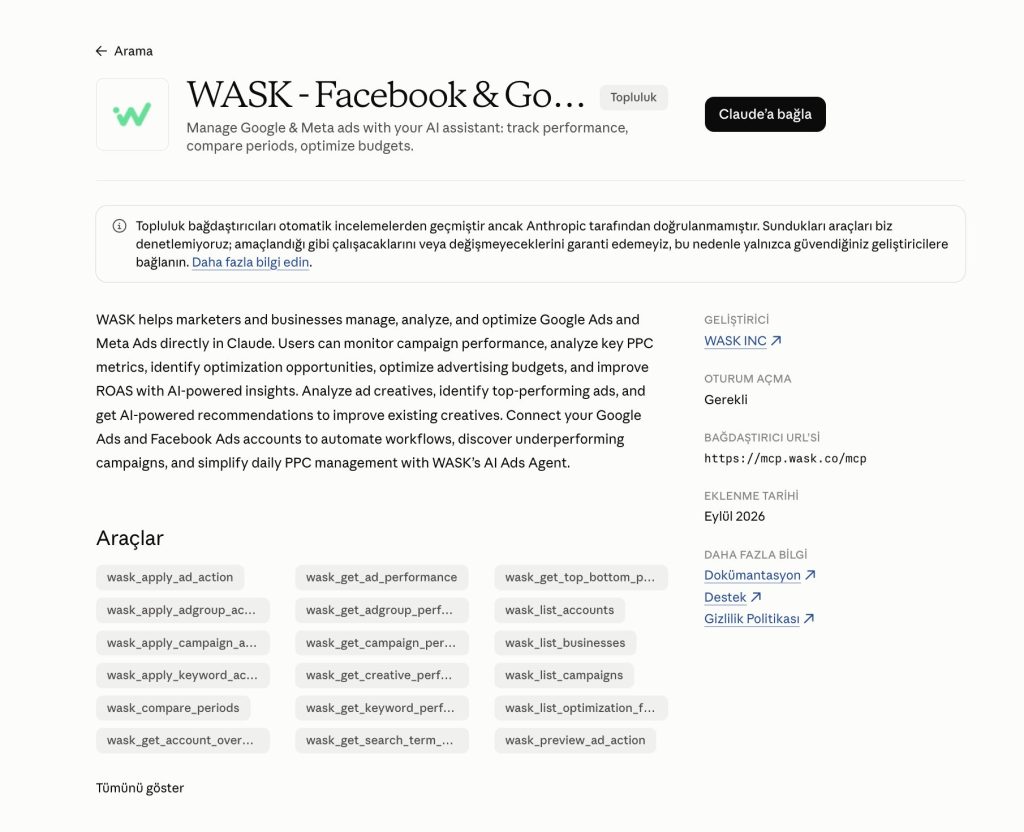
The flow is similar: add the connector, authorize WASK, and open a new Claude conversation to work with connected ad data. WASK’s official MCP page documents a Claude setup flow alongside ChatGPT.
What to Ask ChatGPT About Your Google Ads Data: Prompt Ideas
Once you know How to Connect Google Ads to ChatGPT, the next step is asking questions that turn campaign data into useful decisions. The best prompts include a clear date range, metric, campaign level, and the problem you want to investigate.
Try prompts like these:
- “Show me my Google Ads spend, conversions, CPA, and ROAS for the last 30 days.”
- “Which campaigns had the highest spend but the lowest ROAS this month?”
- “Compare my Google Ads performance for the last 30 days with the previous 30 days.”
- “Which campaigns increased spend while conversions decreased?”
- “Find campaigns with strong CTR but weak conversion rates.”
- “Which keywords have high spend but no conversions?”
- “Which campaigns have the highest CPA and should be reviewed first?”
- “Rank my campaigns by ROAS and show the biggest performance gaps.”
- “Which campaigns had the largest drop in conversion rate this month?”
- “Where is most of my Google Ads budget being spent right now?”
- “Which keywords are driving conversions at the lowest CPA?”
- “Summarize the biggest Google Ads performance changes from the last seven days.”
- “Which campaigns should I investigate first if my goal is to reduce wasted spend?”
You can also follow up with more specific questions instead of starting a new analysis each time. For example, after identifying a weak campaign, ask:
- “Why might this campaign’s CPA have increased?”
- “Which keywords contributed most to the decline?”
- “Did CPC, CTR, or conversion rate change the most?”
- “What should I review first before changing the budget?”
This makes the connection more useful than simply viewing metrics. You can move from campaign data to diagnosis, comparison, and next-step analysis within the same conversation.
Start Analyzing Google Ads From ChatGPT
Once you understand How to Connect Google Ads to ChatGPT, the workflow is straightforward: connect Google Ads to WASK, add WASK to ChatGPT, authorize the connection, and start asking questions about your real campaign data.
Explore WASK MCP to connect your advertising data with the AI tools you already use, or open the WASK ChatGPT plugin to start working with Google Ads from your ChatGPT conversations.
Frequently Asked Questions
Can ChatGPT access my Google Ads account automatically?
No. Understanding How to Connect Google Ads to ChatGPT starts with this limitation: ChatGPT needs an authorized connector or app before it can work with private Google Ads data.
Do I need to export Google Ads data as a CSV?
Not when you use a live connector such as WASK and the required account access is active. You can ask questions about connected campaign data directly in the conversation.
What can I ask ChatGPT after connecting Google Ads?
You can ask about campaign performance, spend, conversions, CPA, ROAS, keywords, trends, weak campaigns, budget opportunities, and other data available through the connection.
Can I manage Google Ads from ChatGPT with WASK?
WASK describes its ChatGPT and MCP integrations as supporting analysis, optimization, campaign management, and automation. Always review actions and permissions before approving changes to a live ad account.