Is It Safe to Connect Your Ad Accounts to ChatGPT? Yes, it can be, but only when you use a trusted connector, review the permissions being requested, and understand how your advertising data may be handled. A secure connection should not require you to paste your Google Ads or Meta Ads password into a chat. Instead, use an authorized connection that limits access to the data and actions you approve. Start with the minimum permissions you need, keep write access restricted unless necessary, and review connected apps regularly.
Key Takeaways
- Is It Safe to Connect Your Ad Accounts to ChatGPT? It can be when the connection is authorized, scoped, and provided by a trusted app or connector.
- Never paste ad platform passwords, recovery codes, or private API credentials into a normal chat.
- For reporting and analysis, prefer the minimum access necessary.
- Check both ChatGPT permissions and the third-party connector’s privacy policy.
- Business, Enterprise, and Edu workspaces have different default data-use protections from personal plans.
- Remove access when a connection is no longer required.
What Does Connecting an Ad Account to ChatGPT Mean?
When marketers ask Is It Safe to Connect Your Ad Accounts to ChatGPT?, the first thing to clarify is what “connect” means.
A proper connection normally uses an app, connector, or MCP-based integration that is separately authorized. ChatGPT can then work with information or actions exposed by that connection. OpenAI says app permissions determine when ChatGPT can read information from a connected account or take supported actions. Existing provider permissions and workspace policies still apply.
That is very different from copying a password, API secret, or unrestricted access token into a prompt.
Is Connecting Google Ads or Meta Ads Risk-Free?
No. The answer to Is It Safe to Connect Your Ad Accounts to ChatGPT? should not be an unconditional yes.
Any system that can read business data introduces some access risk. For ad accounts, the main concerns are excessive permissions, unnecessary write access, third-party data handling, compromised user accounts, and old connections that remain active.
5 Security Checks Before Connecting
Before deciding Is It Safe to Connect Your Ad Accounts to ChatGPT?, review five areas.
1. Check Who Provides the Connector
Verify whether the connection is provided by OpenAI, an advertising platform, or a third party. If a third party is involved, review its privacy policy, terms, security information, and requested access.
OpenAI notes that data shared with connected apps is also handled under each app’s own terms and privacy policies.
2. Review the Requested Permissions
Check whether the app requests read access, write access, or both.
If your goal is only to analyze spend, CTR, CPC, CPA, ROAS, campaigns, or creatives, broad modification permissions may not be necessary.
3. Use the Least Privilege Possible
A useful rule for Is It Safe to Connect Your Ad Accounts to ChatGPT? is to give the integration only the access required for the task.
For analysis, begin with read-oriented access when available.
4. Understand Write Actions
Some connectors can do more than retrieve data. They may support actions such as editing campaigns.
OpenAI says ChatGPT can request confirmation before important actions depending on app permissions and context. Apps capable of modifying data also receive additional risk consideration.
Significant advertising changes should still be reviewed against the source data.
5. Know How to Disconnect
Confirm where you can review connected accounts and revoke access. OpenAI’s current guidance says users can return later to review connected accounts, change supported settings, or disconnect apps they no longer want to use.
What Advertising Data Could Be Exposed?
Another part of Is It Safe to Connect Your Ad Accounts to ChatGPT? is understanding the data involved.
Depending on the integration, connected data may include campaign names, spend, impressions, clicks, CTR, CPC, CPM, conversions, CPA, ROAS, keywords, search terms, ad sets, ads, and creatives.
This information can reveal budgets and campaign strategy, so treat it as business data.
Does OpenAI Use Connected App Data for Training?
This is an important part of Is It Safe to Connect Your Ad Accounts to ChatGPT?
OpenAI’s current documentation says information accessed from connected apps is not used to train models by default for ChatGPT Business, Enterprise, and Edu customers.
For Free, Plus, Go, and Pro users, information accessed from apps may be used to improve models when Improve the model for everyone is enabled.
OpenAI also states that information shared with external apps is subject to those apps’ own terms and privacy policies. Both your ChatGPT settings and the connector’s data practices therefore matter.
Read Access vs. Write Access
A practical way to evaluate Is It Safe to Connect Your Ad Accounts to ChatGPT? is to separate read access from write access.
| Access type | Typical capability | Main consideration |
|---|---|---|
| Read access | View campaign and performance data | Exposure of business information |
| Write access | Create or modify campaigns | Risk of unintended changes |
| Action approval | Confirm a proposed change | Requires human review |
| Admin controls | Limit available apps or actions | Important for team governance |
For reporting or analysis, the lowest practical permission level reduces unnecessary risk.
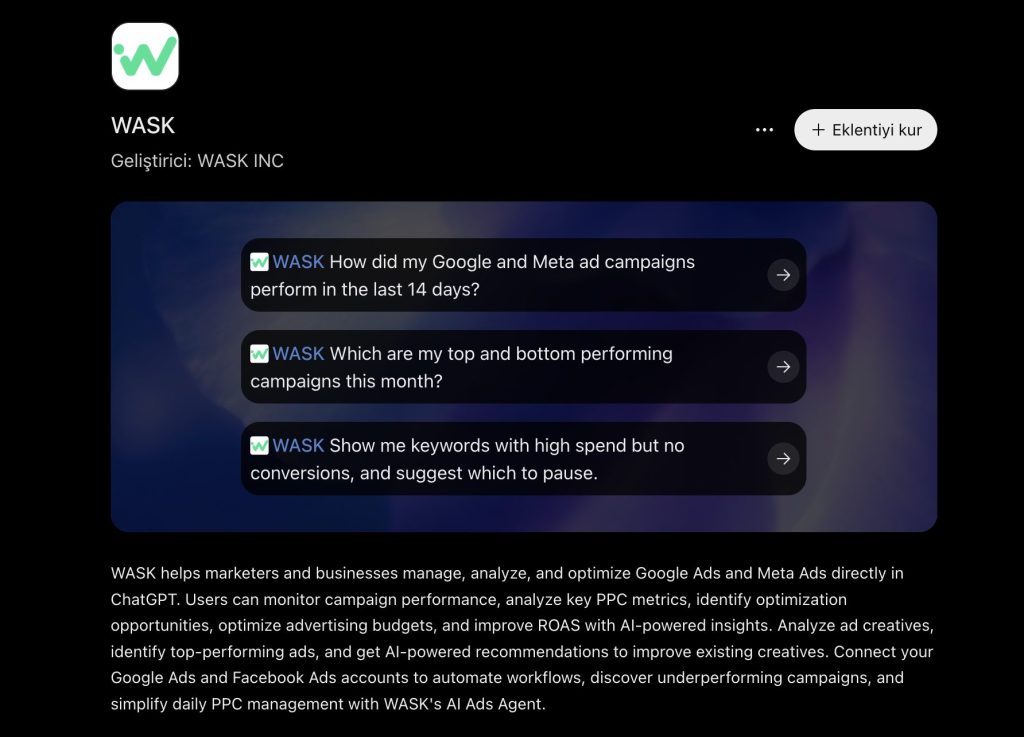
Using WASK With ChatGPT
For marketers using WASK, Is It Safe to Connect Your Ad Accounts to ChatGPT? still depends on the permissions, account setup, and connector configuration.
For Is It Safe to Connect Your Ad Accounts to ChatGPT?, WASK provides an MCP-based route for working with connected advertising data through compatible AI assistants.
The security principles remain the same: verify the account, review requested permissions, understand available actions, and avoid modification access you do not need.
You can explore WASK MCP for the connection workflow.
Practical Safety Checklist
Before connecting:
- Confirm the intended ChatGPT workspace and ad account.
- Verify the connector provider.
- Review requested permissions.
- Prefer minimum necessary access.
- Enable multi-factor authentication where available.
- Never paste passwords, recovery codes, or secret tokens into prompts.
- Review write actions before approving them.
- Audit connected apps periodically.
- Disconnect integrations you no longer use.
Following these steps helps answer Is It Safe to Connect Your Ad Accounts to ChatGPT? based on the actual configuration.
Connect Ad Accounts With the Right Controls
So, Is It Safe to Connect Your Ad Accounts to ChatGPT? It can be, provided you treat the connection like any business integration: verify the provider, minimize permissions, understand data handling, protect your login, and review access over time.
If your goal is to analyze Google or Meta advertising data with AI, explore WASK MCP and connect only the accounts and permissions required for your workflow.
Frequently Asked Questions
Does ChatGPT get my ad account password?
A properly authorized connector should not require you to type your ad platform password into a normal ChatGPT conversation. Authentication should happen through the relevant authorization flow.
Can ChatGPT change my campaigns after I connect them?
Only if the integration exposes supported write actions and your permissions allow them. Review capabilities and approval requirements before enabling changes.
Can I disconnect my ad account later?
Supported connected apps can be reviewed and disconnected. Also check the advertising platform or connector side if it maintains separate authorization.
Is read-only access safer?
For analysis-only workflows, read-oriented access generally reduces the consequences of an unintended action because the integration cannot modify campaigns through that permission level.