Knowing how to track google ads conversions is no longer just a reporting task. In the age of AI, conversion data also helps Google Ads understand which actions matter to your business and gives automated bidding systems better signals to optimize toward. The process is familiar: define the conversion action, install the Google tag or Google Tag Manager, test the event, and verify the data. In 2026, enhanced conversions, consent-aware measurement, attribution, and data quality matter just as much.
Key Takeaways
- Reliable conversion tracking starts with defining actions that represent real business value.
- Google Ads can measure website, app, and phone-call conversions after ad interactions.
- Google Tag Manager can simplify implementation, while Conversion Linker supports attribution.
- Enhanced Conversions and Consent Mode strengthen modern measurement.
- Primary and secondary conversion actions should be configured carefully because automated bidding uses the signals you choose.
- Always test conversion tracking before relying on it for optimization.
Why Conversion Tracking Matters More in the Age of AI
Google Ads conversion tracking measures actions people take after interacting with your ads, including actions on a website, in an app, or through phone calls.
The reason how to track google ads conversions matters even more today is that automated systems can only optimize around the data they receive. If the wrong action is marked as a primary conversion, Smart Bidding can optimize toward the wrong outcome.
Before installing a tag, decide which actions indicate meaningful progress toward revenue.
Decide Which Conversions You Actually Want to Track
Before configuring conversion tracking, separate high-value outcomes from lower-value interactions. A page view or button click may be useful for analysis, but it does not always deserve the same optimization weight as a purchase or qualified lead.
Google Ads also distinguishes between primary and secondary conversion actions. Primary actions are typically used for bidding, while secondary actions can stay available for observation.
How to Track Google Ads Conversions Step by Step
The core workflow for how to track google ads conversions is straightforward.
| Step | What to Do |
|---|---|
| 1. Create a Conversion Action | In Google Ads, go to Goals > Conversions > Summary and create a new conversion action. For a website conversion, select the website source, choose the relevant category, and define the action you want to measure. You may also receive a Conversion ID and Conversion Label for implementation. |
| 2. Install the Tracking Method | For many advertisers, how to track google ads conversions involves either the Google tag directly or Google Tag Manager. With Google Tag Manager, create a Google Ads conversion tag, enter the Conversion ID and Conversion Label, and assign a trigger such as a thank-you page view or form submission. |
| 3. Add a Conversion Linker | If you use Google Tag Manager, a Conversion Linker tag helps preserve ad-click information used for attribution. Configure it to fire across the site. |
| 4. Test and Verify the Setup | A major part of how to track google ads conversions is confirming that the setup works. Use Google Tag Manager Preview Mode or Google Tag Assistant to complete a test conversion and check whether the expected tag fires. Then review each conversion action’s status inside the Conversions summary. |
Enhanced Conversions and Consent-Aware Measurement
A modern guide to how to track google ads conversions should go beyond the basic tag.
Enhanced Conversions can use first-party, user-provided data to improve measurement when traditional identifiers are unavailable. Consent Mode helps tags adapt based on a user’s consent choices. Both topics appear prominently in current 2026 conversion-tracking resources.
The goal is a useful, permission-aware, reliable measurement setup.
Native Google Ads Tracking vs. GA4 Imports
Another common question around how to track google ads conversions is whether conversions should be created directly in Google Ads or imported from GA4.
The supplied SERP notes a recurring practitioner preference for native Google Ads conversion tracking when optimizing Google Ads campaigns, particularly because it provides a more direct signal for Smart Bidding. GA4 imports can still support broader analytics.
Avoid duplicate counting and make sure bidding is optimizing toward the conversion source you selected.
How AI Changes Conversion Tracking
Understanding how to track google ads conversions in the age of AI means thinking beyond whether a tag fired.
AI-driven optimization depends on signal quality. Conversion values, primary versus secondary actions, attribution settings, and accurate event definitions all influence what the system learns.
If leads have different business value but are reported identically, automation has limited information to distinguish them. Where possible, define goals and values around real business outcomes.
Once tracking is reliable, the next step is turning conversion data into better campaign decisions. With Google Ads optimization, WASK helps you analyze performance, identify optimization opportunities, and improve campaigns using the conversion signals you already collect.
Once tracking is reliable, WASK can become part of the broader campaign workflow, while WASK Optimization supports the next stage: acting on performance rather than only collecting data.
Why Google Ads Conversions May Not Be Tracking
People searching how to track google ads conversions also frequently ask why conversions are missing. The SERP’s People Also Ask section explicitly includes this troubleshooting intent.
Common causes include a tag that does not fire, an incorrect trigger, the wrong Conversion ID or Label, consent settings, duplicate implementations, or a conversion action that has not recorded data.
Start at the event level. Confirm that the action occurs, the tag fires, and the conversion action status is healthy before changing campaign settings.
Use AI After the Tracking Foundation Is Reliable
Once you know how to track google ads conversions correctly, AI becomes more useful because the campaign data it analyzes is grounded in meaningful outcomes.
With WASK MCP, you can connect supported advertising data with AI platforms and work with campaign performance through natural-language requests. If you want to use your existing Google Ads data inside AI tools, see how to connect Google Ads to ChatGPT or how to connect Google Ads to Claude.
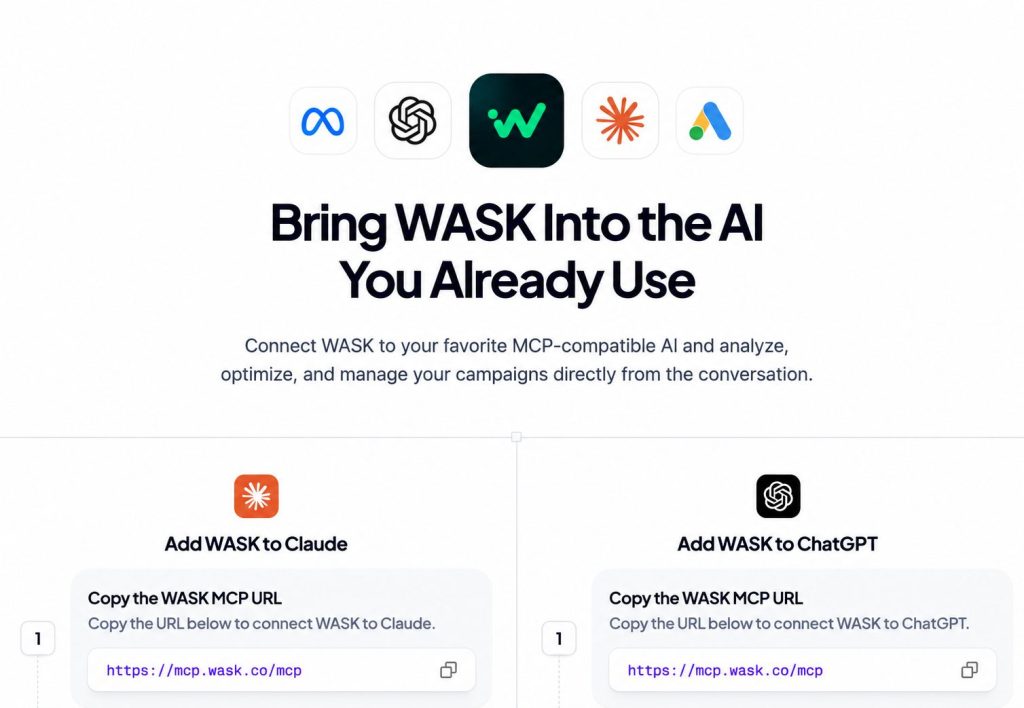
The sequence should remain simple: build reliable measurement first, analyze the data second, and use AI-assisted optimization only after your conversion signals are trustworthy.
If you want to explore AI-based workflows around your advertising data, see WASK MCP. The sequence should be measurement first, analysis second, and optimization third.
Frequently Asked Questions
What is the best way to track Google Ads conversions?
The best method depends on your setup, but how to track google ads conversions usually starts with a native Google Ads conversion action, the Google tag or Google Tag Manager, and a verified trigger.
How do I know if Google Ads conversion tracking is working?
Complete a test conversion and use GTM Preview Mode or Google Tag Assistant to confirm the conversion tag fires. Then check its status in Google Ads.
Should I import conversions from GA4?
GA4 imports can be useful for analytics consistency, but native Google Ads tracking may provide a more direct optimization signal for Google Ads bidding. Avoid double counting the same action.
Why does conversion quality matter for AI bidding?
Automated bidding learns from the conversion signals you provide. If low-value actions are treated like high-value outcomes, the system may optimize toward the wrong behavior.
Related Reading